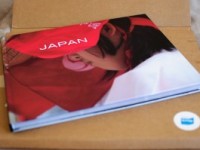
Yay, our book has finally arrived!
After Bram and I came back from Japan I set out to gather our photos into a book as soon as possible. In fact we always plan to do this, but never get around to it. So I promised myself this time would be different and I thought using Blurb might help.
First some stats:
– Made 2838 photos in only 2 weeks. Crazy, but loved it!
– Selected 658 of those to process. This includes Bram’s groovy moves, promise I’ll show those off in another post later.
– And 472 of those made it into the book. I know, a LOT.
This makes for a total of 150 pages. Photos only, no text. Seems I need to sharpen my editing skills a bit more. It is almost impossible to sift through your own pictures and stay objective. Kind of like having gangrene and the doctor makes you choose which limb to chop off. Kind of, sorta.
Book Preview
Here is a preview of the final result. My thoughts on Blurb below.
BookSmart
Blurb provides software you can use to make your book, called BookSmart. Though there are some predefined layouts you can work with, you are in for a lot of pain if you want to edit them or create your own. At first I wanted to use one of the travel book templates, but I soon deserted that route as it was too rigid. In a sense BookSmart is so dumbed down, it becomes smart if you do not want to do anything yourself. It is great if you do NOT want to decide which colors to use in your theme, or do NOT quickly want to edit your layout by directly adjusting width and height.
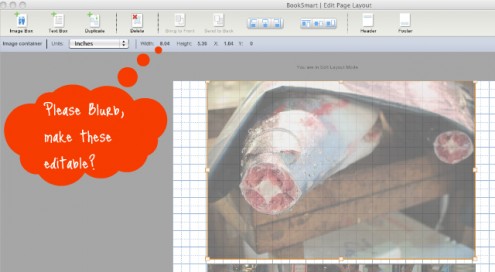
There are other options though, e.g.Adobe InDesign, to create your book if you wish. I decided to work through my frustrations and finish the book in BookSmart. My determination just increased with each program crash. The frequency of which went up as my book grew bigger and bigger – if there’s something you don’t like about big books BookSmart, just tell me a’right, no need to make a fuss about it.
Really, this is premium paper?
I was really excited when the book arrived. The book was only wrapped in carton, yet the package looked immaculate. Thank you postman!
Unwrapping it felt a little like Christmas had come early. And the first impression was totally awesome.
LOVE the ‘imagewrap’ cover, LOVE IT. I am a sucker when it comes to flappy covers, they become floppy in my hands too quickly with rips and stains and whatnot. So I chose to go with ImageWrap option. I had read on the Blurb forum that it would look like printing on a really matte paper. So I decided to increase the contrast heavily on the cover pictures. And the black turned out exactly as it should.
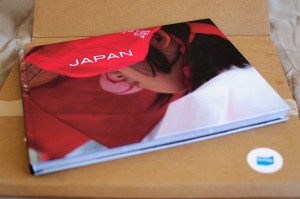
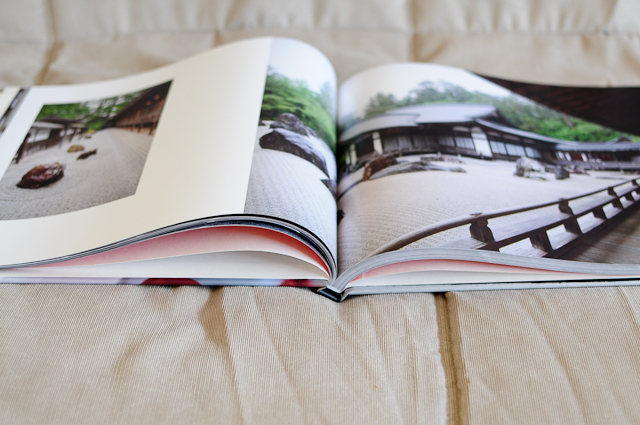
I am also impressed with the quality of the binding. And thanks to the handy color management training available on the Blurb site, my colors are exactly what I saw on the screen. Yay for color-calibration!
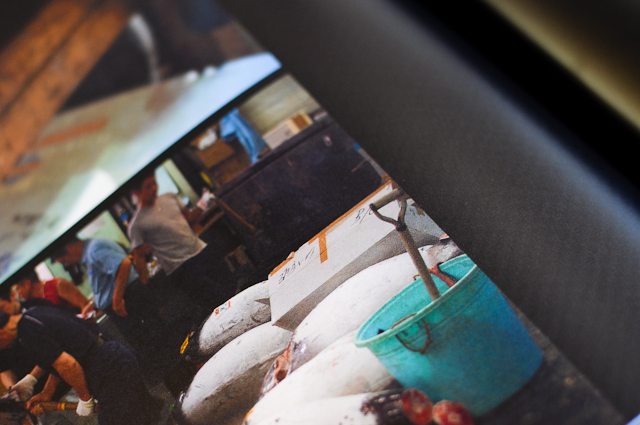
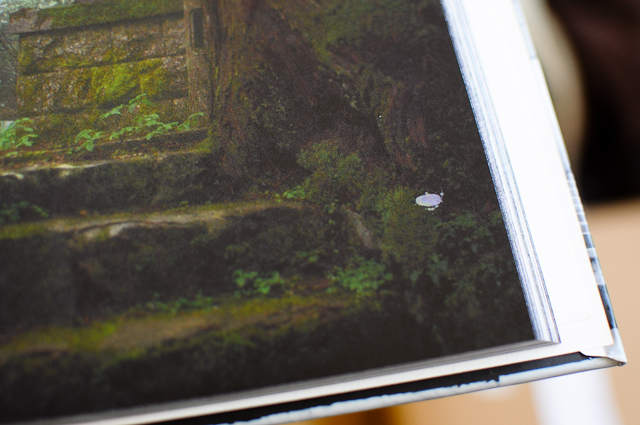
But, and here it comes, I am not happy with the printing itself. Far from it. I chose to order ‘Premium Paper’. According to Blurb “it’s about 35% heavier than standard paper and offers superb opacity for stellar image printing”. I noticed in some pictures my shadows had opened up, and it wasn’t until I came across a picture on a pure black background that I saw why. I’d expect black to be black with stellar image printing on premium paper, wouldn’t you? Instead there is this strange white-dotted pattern, and it shows in the images too unfortunately. Also one of the pages has a strange ink spot. Oh no, a blurb on my blurb!
Conclusion & Tips
So would I use Blurb again? What makes them different in my opinion from other on-demand publishers is the online bookstore, badges and widgets etc to share your books. So if you want to publish and sell a book, Blurb is fantastic. Also, their blog and forums are full of little tips and tricks and they obviously have a weak spot for photography. When I do have a stellar photography book to sell one day, I’d be more than happy to work via Blurb. However, the lack of premium quality coupled with premium price means I will check out other options for my next little travel memoir. Do you have any suggestions? Would love to hear about them! Please add thoughts and suggestions to the comments below.
Some tips that might come in handy when using Blurb:
– Partial spreads. For most of the images that bleed across a page, I simply used the full page bleed layout and posted the same picture in each, ensuring overlap only in the trim area. For panoramas however, I split the images into a left and right half and added overlap of 1/16 inch. Judging the print I think 1/8 would have been better. I do have 150 pages, but even with less I think the result would be the same.
– Blurb always offers promotions and discounts. It might be worthwhile to Google around for vouchers when you are ready to order. Just sayin’.
I have to thank my friends Mike and Kim for sharing and showing their Blurb results with me. Without them I’d still be fiddling with my layouts 🙂
Thanks for the compliment. Your book looks great. Love your comments about Blurb too. Shows how easily pleased I am – or how little I know. 😉
And thanks for the tips on how to create bleeds across the page. Will try that for our next album.
Hallo Ilse, Bram,
Mooi boek ! Wij hebben in 2007 ongeveer dezelfde reis gedaan, dus het was dubbel interessant om jullie foto’s te bekijken.
Zelf heb ik er nog geen boek van gemaakt, maar in de fotoclub wordt mij verteld dat echt goede opties voor foto’s de volgende sites zijn:
http://www.profotonet.nl/
http://www.fotobuch.de/
Een blog-lezer uit Leuven…
-Andy
Prachtige foto’s!
o/
Joe Andy,
Merci voor de commentaar! 😉
Japan was wel belachelijk tof, we hebben ons goed geamuseerd. Bedankt voor de fototips. Blurb is blijkbaar een redelijk goede optie, maar het kan nog wel iets beter.
Als uw vrouw en dochter het toelaten, Australië is ook een zeer mooi land om te bezoeken 🙂 Ik vroeg me trouwens af wat je nu weer aan het uitsteken bent? Zit je nog op IMEC of heb je dat oord der halfgeleiderverderf reeds verlaten?
De groeten,
Bram
Hi Andy, profotonet.nl looks quite good, we’ll have to check them out when we’re back in Belgium, thanks!
I rate blurb greatly too! They also have launched a pop-up stores this month and as part of it teamed up with loads of amazing speakers and are holding these talks.
This Saturday (2nd last one) is one about travel photography where you can learn how to create your own your travel photo book, hear top tips for taking better travel photos, and share in inspirational travel talks.
If you turn up with a bookmark you get a book for free!! I can’t attached anything here but am happy to forward if someone reads this before Sunday…:)
More about the talks:
http://www.blurb.com/events/londonpopup
Natx